p2pStream
Stream your game to a few friends, straight from your PC.
p2pStream is a small Windows app you use next to Discord. Friends you invite connect directly to your PC, so there is no streaming server in between.
Got an invite link? Click it in Discord: it opens this site and then the app.
Get p2pStream
- Download p2pStream.exe (17.7 MB, test build 0.1.0).
- Keep
p2pstream.exein a folder of your own, such asDocuments\p2pStream, not on a USB stick or a shared drive, so links can open it. -
Open it. If Windows says
Windows protected your PC
, click More info, then Run anyway. This is needed once, because p2pStream is not code-signed yet.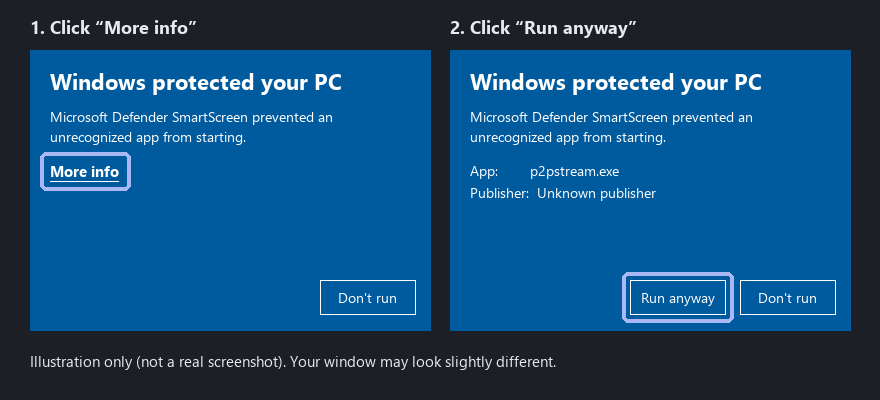
- Then click your friend's invite in Discord again, or paste it into the Watch tab.
Check the download (optional)
SHA-256 of p2pstream.exe:
94c684b8a482c58dd8800e19d93cd63c4cda9ace935ff19ae202c7091b7e9804
In PowerShell: Get-FileHash .\p2pstream.exe must print the same value.
Only download p2pStream from p2pstream.pages.dev or from the friend who invited you.